
10 Best Printers for College Students in 2022 (HP, Canon, and More)
Are you a college student who needs a reliable, affordable, and portable printer for your dorm room? Luckily, there are quite a few printers that fit the bill! Printers don't have to be bulky or outside of your budget range.
In our list of the 10 best printers for college students, we show multiple inkjet and laser printer options. We fell in love with the HP Deskjet 3755 compact all-in-one wireless printer for its small size, versatility, and trusted brand name. Our buying guide will also help you navigate through the things to consider when choosing a printer for your dorm or off-campus apartment. Keep reading to learn more!

mybest US' editing team consists of experienced members who have backgrounds in writing, editing, translation, and more. We are dedicated to researching what makes a product or service the best to users in the US in order to create top-quality articles. From skincare, to kitchen appliances, and to DIY supplies, our mission is to find the best ones for you.
Why You Can Trust Us
Every mybest article is crafted with hours of in-depth research and interviews with experts. Each month, we are continually expanding our database of products based on our research. By emphasizing user insight and reliable information, we deliver trustworthy content to readers.
How to Choose Printers For College Students
When buying a printer for college, space is probably a top factor on your mind. However, you'll also want to look at print speed, print quality, affordability, how the printer connects, and the level of manufacturer support.
Check the Size and Noise Levels

College dorms aren't known for being spacious, so you'll want to look for a printer that can fit in tight spaces. You may need to change rooms and move your belongings in between semesters. A printer that's under 10 pounds will be easier to carry up and down stairs, place in moving boxes, and transport to different locations.
You should also consider the noise of the printer, especially if you have a roommate or expect to be printing late at night. Laser printers are generally less noisy than inkjets. Some printers come equipped with a silent mode, which reduces noise, but it also slows down printing speeds.
Consider Print Quality and Speed
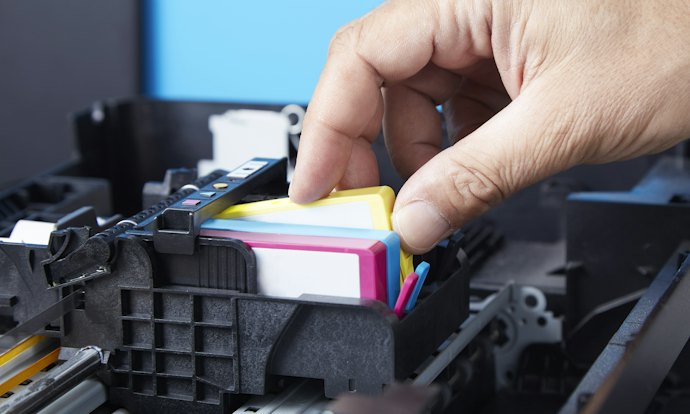
Not all printers produce the same print quality or color accuracy, especially when it comes to photos, graphics, and images. You'll want to consider the quality ratings of the models you're thinking of purchasing, particularly when it comes to the types of documents you'll be producing.
Standard inkjet and laser printers can sometimes be comparable in terms of quality. If you're only going to be printing occasionally, inkjet printers may suit your needs.
Laser printers are typically heavier and can take up more space, whereas some inkjet models are super compact and lightweight. Laser printers are better for high-volume use because many tend to be faster.
You can get away with a monochrome printer if you're just going to be printing term papers and other written documents without graphs and visuals. Otherwise, color printers can help you make more visually appealing presentations, charts, graphs, and website and design mockups.
Print speed can vary between models and whether the printer's driver allows duplex or double-sided printing. Speeds are measured in pages per minute (ppm), and sometimes images per minute (ipm). The higher the number, the faster the print speed.
If you have long documents or a lot of documents to print in a short amount of time, look for a higher ppm in the printer's technical specifications.
Look at Overall Affordability and Costs of Replacement Ink or Toner
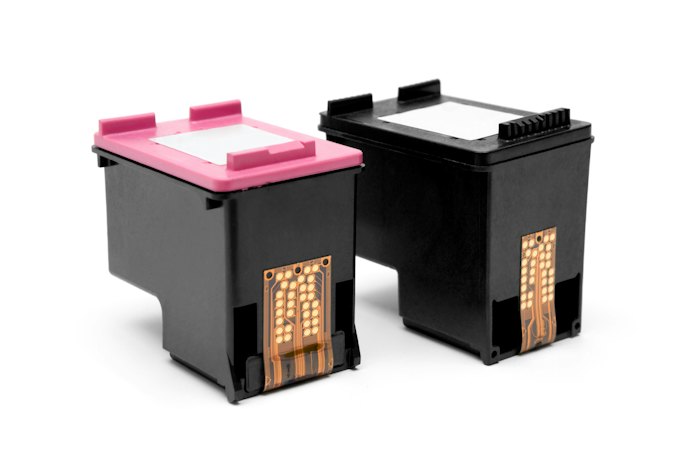
As a college student, your budget may be limited, or you may need to rely on scholarship, grant, or student loan money to cover personal technology costs. While the initial cost of a printer can be a significant factor, so can the ongoing ink or toner costs.
In some cases, cartridge replacements for an inkjet printer can cost more than the printer itself. Signing up for instant ink options online with the manufacturer or comparing prices between online vendors can help.
You'll want to stick to genuine ink or toner replacement parts, though, despite the savings you may see on non-branded ones. Cheap knockoffs can cause problems with leaking or defective cartridges and ruin your printer.
Typically, laser printers will have a higher initial cost than inkjets, but the toner cartridges usually last longer and do not need replacements as often as inkjets. Also, keep in mind that ink cartridges tend to dry out and expire if they are not used or are stored for a length of time.
Think About Connection Types and Whether You Need an All-in-One Unit

Another thing you'll want to think about is whether you need to just print, or you'll also want to scan and copy documents. All-in-one printers may be slightly more expensive, but double as a scanner and copier. Using a scanner can be easier and more accurate than trying to take pictures of documents with your phone's camera.
Printers come with different connection types and options such as wireless and USB. Many models have apps you can use to print documents from your smartphone that use a home Wi-Fi or Bluetooth network. These are convenient and reduce the amount of space you'll need for cords.
However, these connections are prone to interference and congestion, especially in shared spaces and residences with shared walls. You may find a connection with a USB cord is more dependable, and you don't have to worry about being able to print if your network connection is unavailable.
There are also some models with SD card support, so you can insert external storage and print documents or photos from the card. If you use SD cards to store your documents and images, you may want to focus on printers that support this option.
Evaluate Brand Reputations, Support and Warranty Coverage

You may find it gives you peace of mind to stick with brands and manufacturers you have experience with. You can also look at Consumer Reports and online reviews to get a sense of the quality of a brand's printers overall, as well as individual models.
Keep in mind that many brands have a wide range of printers, from basic to advanced. Some models are best suited for home or student use, while others are geared toward enterprise and commercial use.
Research reviews and Consumer Reports to see what users thought of the printer's software, whether it was easy to install, and whether it was simple to understand the overall use of the printer's functions.
Check to see what level of support you'll get from the manufacturer, especially during the first year of use. A typical warranty period for printers is one year from the purchase date.
Check to see what the warranty covers and whether you'll have to pay for support, or if you'll have access to free resources. Sometimes those resources can include talking to a live support rep and other times they'll be limited to online knowledge bases and FAQs.
10 Best Printers For College Students Ranking
| Products | Image | Click to purchase | Popularity | |
|---|---|---|---|---|
1 | Deskjet 3755 All-in-One Wireless Printer|J9V92A HP |  | No.1 | |
2 | Pixma Photo Printer|TS202 Canon |  | No.2 | |
3 | LaserJet Pro M15w|W2G51A HP |  | No.3 | |
4 | Refurbished OfficeJet All-in-One Printer|5255 HP |  | No.4 | |
5 | Envy All-in-One Wireless Color Printer|6055e HP |  | No.5 | |
6 | Pixma TS Series Wireless Inkjet All-in-One Printer| TS3322 Canon |  | No.6 | |
7 | Pixma Wireless Inkjet Printer|TS302 Canon |  | No.7 | |
8 | Work Smart Multi-Function Color Printer|MFC-J491DW Brother |  | No.8 | |
9 | Personal Laser Printer|HL-L2300D Brother |  | No.9 | |
10 | P2502W Laser Printer|V8V77B Pantum |  | No.10 |

HPDeskjet 3755 All-in-One Wireless Printer | J9V92A
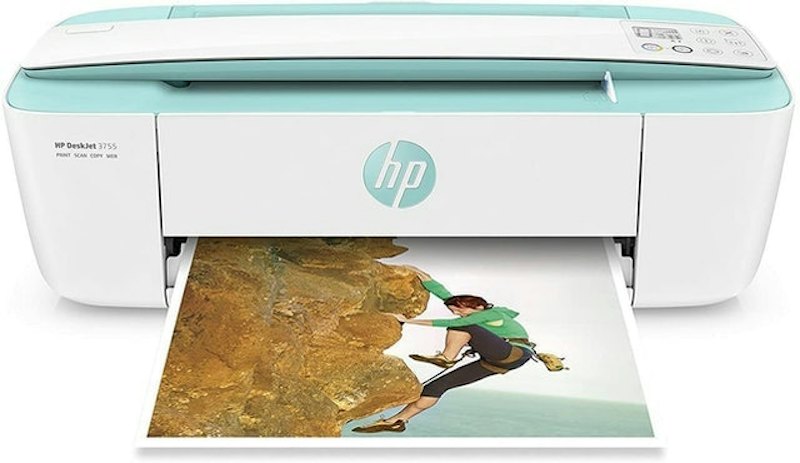
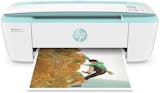
The HP Deskjet 3755 printer is small enough to fit on a desk or in places where space is limited. You can print black and white and color documents from your computer, tablet, or smartphone. It weighs only five pounds.
HP support is available seven days a week, 24 hours a day, which is perfect for last-minute problems the day before your assignment is due. You can print various sizes of documents, scan them, and copy them when you need to.
A group of reviewers experienced intermittent connection problems and some issues with setting up the printer. More purchasers were impressed with the compact size of the printer and that it printed quality documents. They also liked being able to send print jobs from the mobile app.
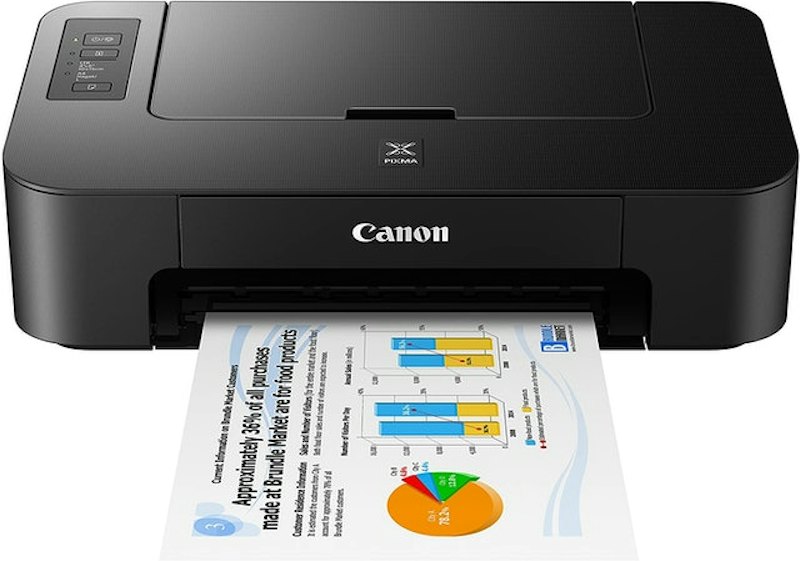
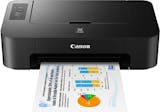
Canon's Pixma TS202 is small in size, but it's able to print documents efficiently. The printer works well if you've got a lot of term papers and case studies to print out in a short amount of time. The paper is rear feed, so make sure you have room to open the tray if you plan to put it near a wall.
The most common complaints among reviewers were that the printer does not come with a USB cord. Reviewers who had their own cord appreciated the printer's easy setup process. They also liked that the printer did not require an instant ink program and that they could purchase their own cartridges from retailers.
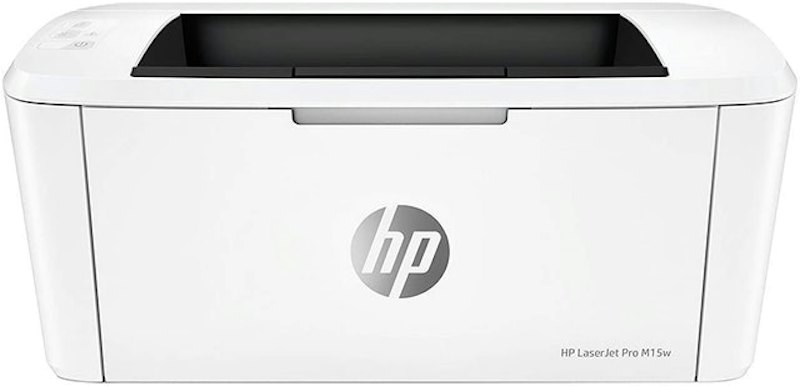
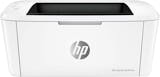
This printer from HP is one of the smallest laser printers available. The HP Smart app lets you scan and print from cloud services like Google Drive. There is also an auto on and off feature that helps save electricity when the printer detects it's not in use.
Some reviewers were not happy that they had to set up an email address and an HP account to connect the printer. They ended up spending a lot of time talking to HP support to get assistance. A few also did not like that the ink cartridges ran low after light use.
The majority of reviewers liked the compact design and that the printer did not weigh much. They also appreciated the quality of the print jobs and that the printer had manual duplex capabilities.
HPRefurbished OfficeJet All-in-One Printer | 5255
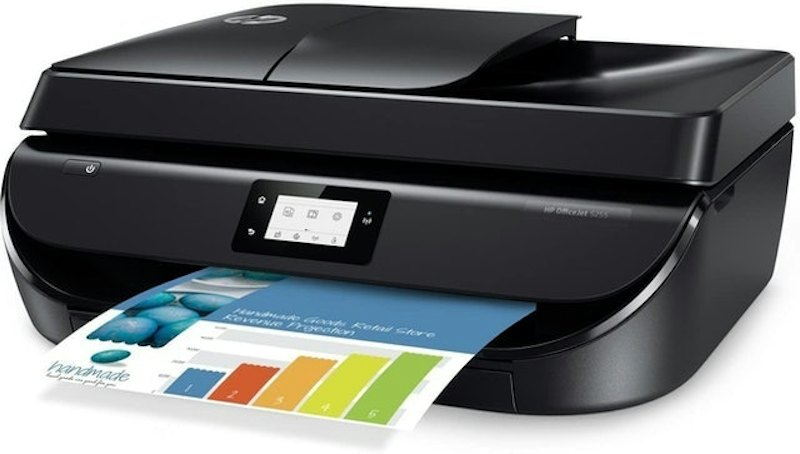
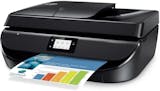
Although this is a refurbished printer, it does come with a 90-day guarantee from Amazon. This model scans, copies, supports duplex printing and can use either a 5G or 2.4G connection. You can print from cloud services using the HP Smart app.
Some reviewers ran into connection problems or issues with the print quality and paper jams after a few months of use. More purchasers liked that the setup process was simple and that they could use the HP app for mobile printing. They also appreciated that the printer came with two new ink cartridges.
HPEnvy All-in-One Wireless Color Printer | 6055e
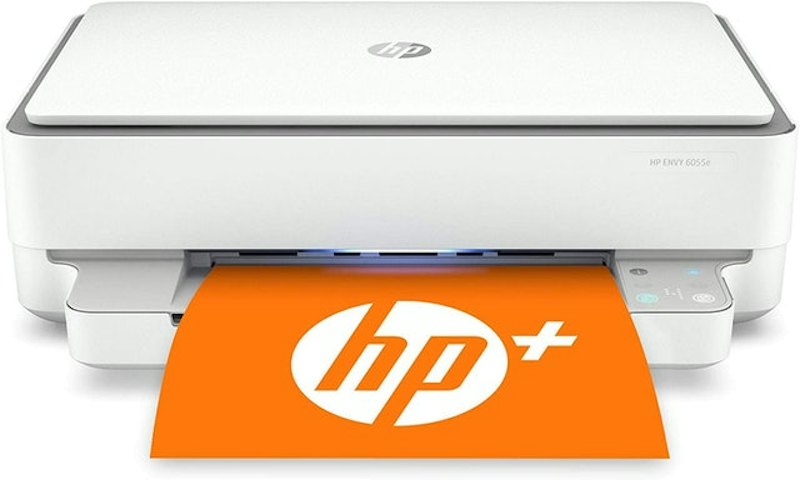
This HP all-in-one printer uses thermal print technology, which can reduce your ink replacement costs. On this model, the manufacturer also offers extended two-year support with six months of instant ink included. This model supports duplex printing and dual-band wireless connections.
Some reviewers were not happy with the setup process and thought the printer took too long to produce documents. Other reviewers enjoyed how well the printer worked once it was set up and liked the convenience of the wireless connection. They found that it printed clear, vivid colors.
CanonPixma TS Series Wireless Inkjet All-in-One Printer | TS3322
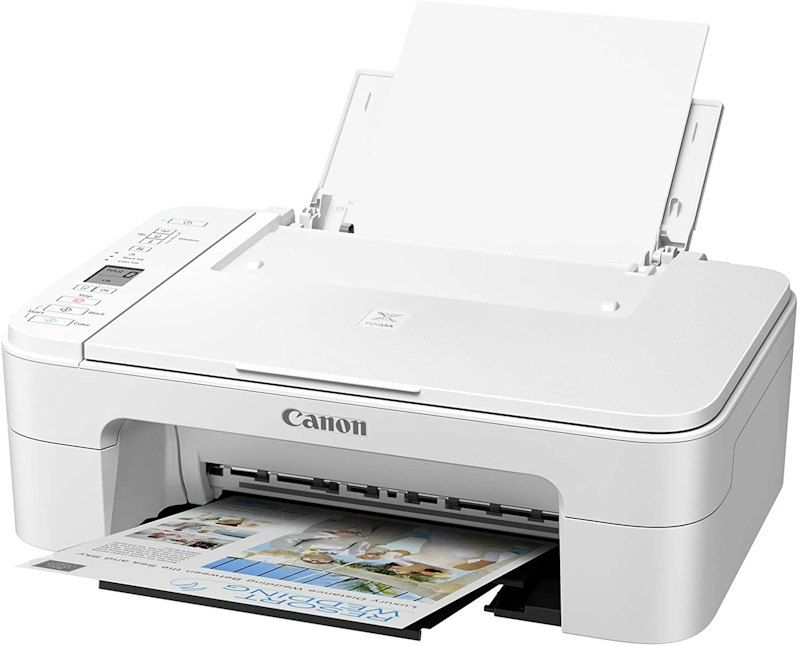
This is an all-in-one printer that has high-resolution capabilities. The printer supports up to 4800 x 1200 dpi for producing images and photos. You can also print from your smartphone through the wireless connect feature. However, for additional reliability, there is an option of connecting the printer to your computer via USB.
A small group of reviewers ran into problems installing the printer's software and issues with the paper trays jamming. More reviewers were pleased with the print quality and liked being able to print content from their smartphones.
CanonPixma Wireless Inkjet Printer | TS302
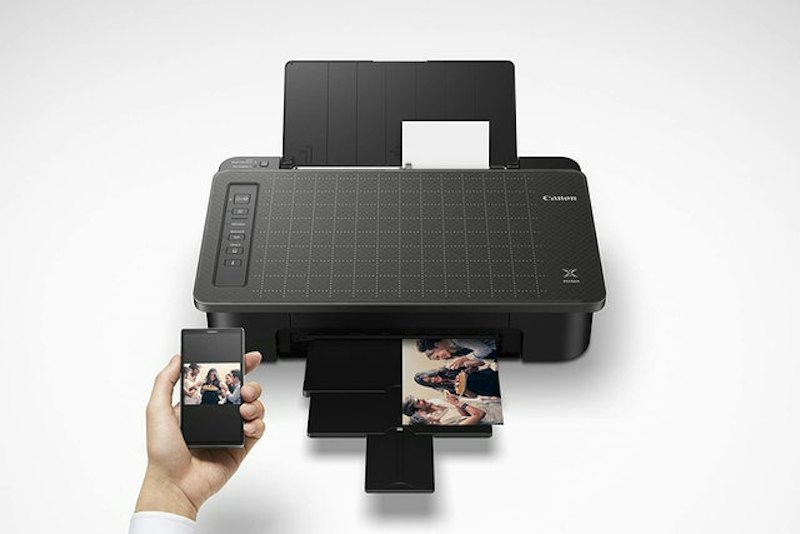
Canon's TS302 is a compact printer with reasonable print speeds. With the Canon print app, you can use your smartphone to copy and scan documents. This printer also supports mobile printing with iOS and Mac devices and is Google Cloud Print ready. It is relatively lightweight at 6.5 pounds.
A prevalent complaint among reviewers was about the setup process and connecting to different devices. Some buyers ran into issues having to switch both the printer and their computing devices to the 2.4 GHz band.
Another group of reviewers was impressed with the print quality and range of features. They thought it was a decent printer for those who did not have high-volume printing needs.
BrotherWork Smart Multi-Function Color Printer | MFC-J491DW
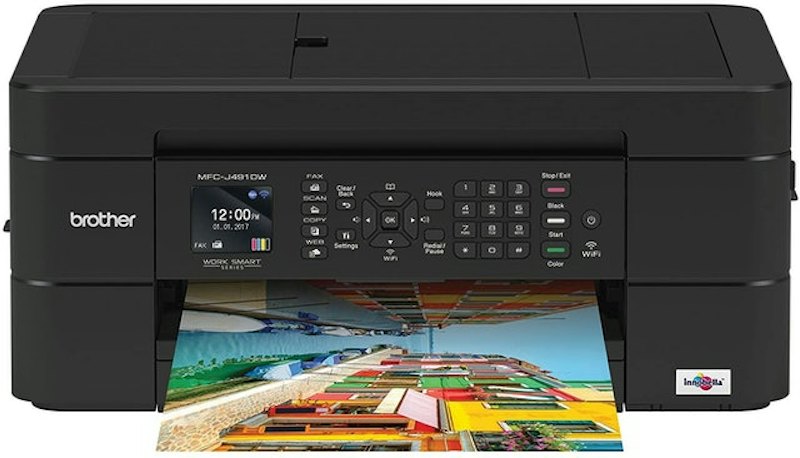
This is a compact printer that has a color LCD display control panel. You can connect devices to it using your Wi-Fi connection or a USB cord. There is also the ability to scan and copy documents with an automatic top loading feature. You can also scan documents to cloud services like Dropbox and Google Drive.
Some reviewers were not pleased that the printer won't print at all if any cartridge is empty. A few also thought the printer ran through ink quickly and support from the manufacturer was lacking.
More reviewers were pleased with the overall value and ease of use of the printer. They liked the wide variety of features and the on-screen menu panel.
BrotherPersonal Laser Printer | HL-L2300D
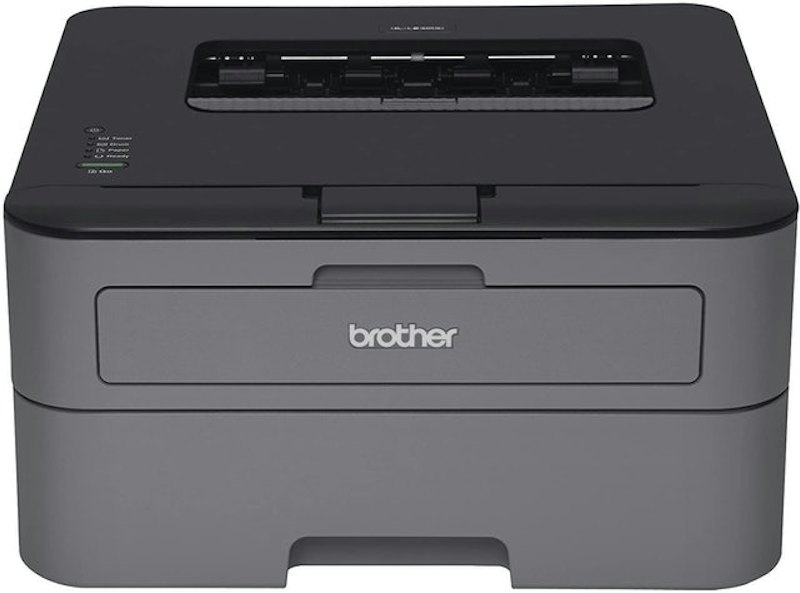
Brother's HL-L2300D laser printer can print black and white documents at a speed of up to 27 pages per minute. This printer does not support wireless connections, but you can print between 250 and 2,000 pages per month, making it great if you print a lot of assignments.
A group of reviewers was upset that the printer did not come with a USB cable, since this was the only way to connect it to a computer. Others experienced problems with having to reinstall the print drivers after running out of toner.
Quite a few more reviewers were pleased with how long the toner lasted. They appreciated the starter toner cartridge and that the printer did not take a long time to warm up before printing jobs. They thought it was a good printer for everyday use.
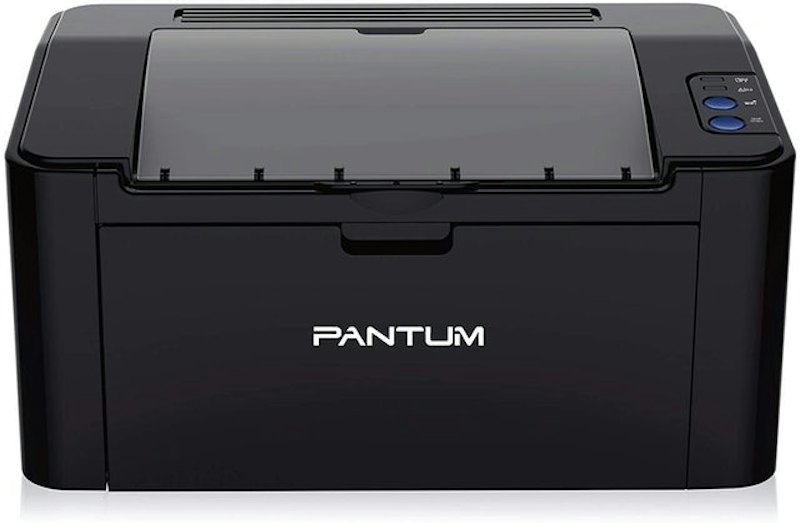
If you prefer laser printers, Pantum's P2502W is a good option. It prints in black and white and comes with a starter cartridge that can print up to 700 pages. Connection options include wireless and USB for additional stability.
There are also set up and printing options via a mobile app. However, this printer is compatible with Apple, Windows, and Android platforms only. The printer will not function with Chrome-based devices.
One group of reviewers experienced problems with frequent paper jams. Some also found the installation process to be confusing and difficult and the wireless connectivity to be spotty.
A larger group of reviewers liked that this was a laser printer that saved space and could fit in small areas. These purchasers enjoyed the option of wireless and USB connections for buildings where Wi-Fi interference was common. They also liked that the ink did not dry out and lasted a long time.
Need More Supplies for College?
Gearing up for a new semester can be a challenge. Make sure you're ready for class and student life with these other great items!


The descriptions of each product are referenced from content available on manufacturer, brand, and e-commerce sites.


